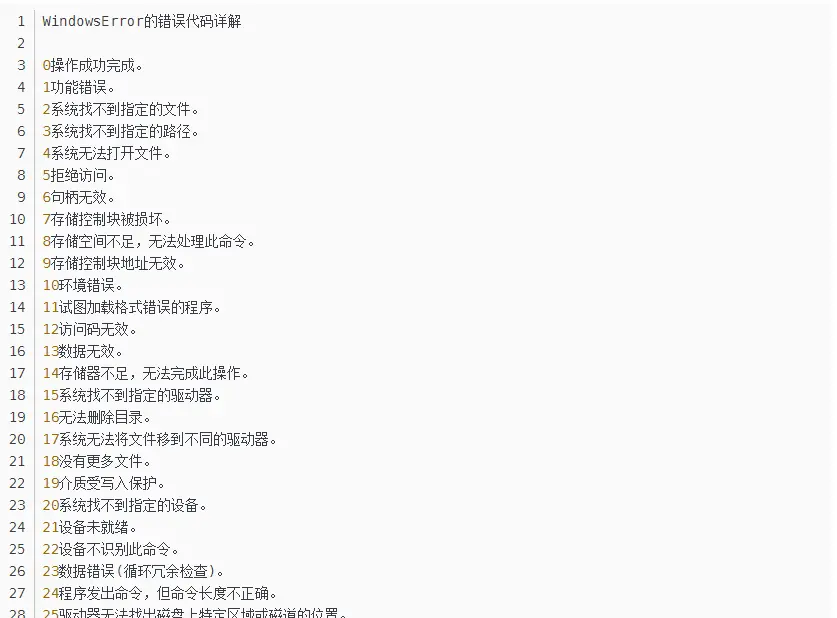
在读nemu/src/monitor/monitor.c中遇到了这个函数,原文如下:

1
2
3
4
5
6
7
8
9
10
11
12
13
14
15
16
17
18
19
20
21
22
23
24
25
26
27
28
29
30
31
static inline void parse_args(int argc, char *argv[]) {
const struct option table[] = {
{"batch" , no_argument , NULL, 'b'},
{"log" , required_argument, NULL, 'l'},
{"diff" , required_argument, NULL, 'd'},
{"port" , required_argument, NULL, 'p'},
{"help" , no_argument , NULL, 'h'},
{0 , 0 , NULL, 0 },
};
int o;
while ( (o = getopt_long(argc, argv, "-bhl:d:p:", table, NULL)) != -1) {
switch (o) {
case 'b': batch_mode = true; break;
case 'p': sscanf(optarg, "%d", &difftest_port); break;
case 'l': log_file = optarg; break;
case 'd': diff_so_file = optarg; break;
case 1:
if (img_file != NULL) Log("too much argument '%s', ignored", optarg);
else img_file = optarg;
break;
default:
printf("Usage: %s [OPTION...] IMAGE\n\n", argv[0]);
printf("\t-b,--batch run with batch mode\n");
printf("\t-l,--log=FILE output log to FILE\n");
printf("\t-d,--diff=REF_SO run DiffTest with reference REF_SO\n");
printf("\t-p,--port=PORT run DiffTest with port PORT\n");
printf("\n");
exit(0);
}
}
}
阅读全文 »

开天辟地的篇章

从状态机视角理解程序运行

1
2
3
4
5
6
7
// PC: instruction    | // label: statement
0: mov r1, 0 | pc0: r1 = 0;
1: mov r2, 0 | pc1: r2 = 0;
2: addi r2, r2, 1 | pc2: r2 = r2 + 1;
3: add r1, r1, r2 | pc3: r1 = r1 + r2;
4: blt r2, 100, 2 | pc4: if (r2 < 100) goto pc2; // branch if less than
5: jmp 5 | pc5: goto pc5;

Q:画出这个程序的状态机

需要更新的状态只包括PC,r1和r0,所以用三元组表示程序的所有状态:

(0, x, x) -> (1, 0, x) -> (2, 0, 0) -> (3, 0, 1) -> (4, 1, 1) -> (2, 1, 1) -> (3, 1, 2) -> (4, 3, 2) -> … -> (2, 4851, 98) -> (3, 4851, 99) -> (4, 4950, 99) -> (2, 4950, 99) -> (3, 4950, 100) -> (4, 5050, 100) -> (5, 5050, 100)

  • Thoughts : 如果不是实验中给出了初始的(0, x, x) -> (1, 0, x) -> (2, 0, 0) -> .. , 以我的感觉我极有可能会写(0, 1, x) -> (1, 0, 0) -> .. 我的逻辑是在pc0的时候,r1赋值为0了, 但是在状态机中表示的是一个瞬间的状态所以在pc0的时候, r1还没有被赋值,所以上面的(0, x, x)是对的
阅读全文 »

Linux 命令总结

文件管理

  • cd <directory>: 更改当前工作目录到指定的目录。
  • pwd: 显示当前工作目录的完整路径。
  • mkdir <directory>: 创建一个新目录。
  • rmdir <directory>: 删除一个空目录。如果目录非空,使用rm -r <directory>
  • ls [options] [file]: 列出目录内容。
    • -l: 长格式列出信息。
    • -a: 列出所有文件,包括隐藏文件。
    • -h: 与-l一起使用时,以易读的方式显示文件大小。
  • cp [options] <source> <destination>: 复制文件或目录。
    • -r--recursive: 递归复制目录及其内容。
    • -i--interactive: 在覆盖文件之前提示用户确认。
    • -v--verbose: 显示详细信息。
  • rm [options] <file>: 删除文件或目录。
    • -r--recursive: 递归地删除目录及其内容。
    • -f--force: 强制删除,不提示确认。
  • mv [options] <source> <destination>: 移动或重命名文件或目录。
  • tar [options] <filename> [files]: 用于归档文件,同时可对文件进行压缩或解压。
    • -c: 创建归档。
    • -x: 从归档中提取文件。
    • -z: 通过gzip进行压缩或解压。
    • -v: 显示被处理的文件名。
    • -f: 指定归档文件的名称。
      阅读全文 »

前几天在做蒋炎岩老师的PA有一个小实验在实验中使用g++ main.cpp -o main来编译cpp文件, 但是上面的-o其实是g++的一个选项, 作用是自定义生成文件的名称, 上面的指令就是编译main.cpp文件, 并将编译后的可执行文件命名为main.

所以编译c文件其实只需要gcc main.c指令, 这条指令会默认生成a.out可执行文件

我突然想到一个问题, 是不是上面的main也是.out文件, 但是在我查阅资料后发现并不是这样:

阅读全文 »
0%